RoadMaster V1.2

RoadMaster V1.2
The RoadMaster mod is an extremely useful addition to FS25, offering a range of valuable data and options for monitoring vehicle operation.
Changelog 1.2.0.0:
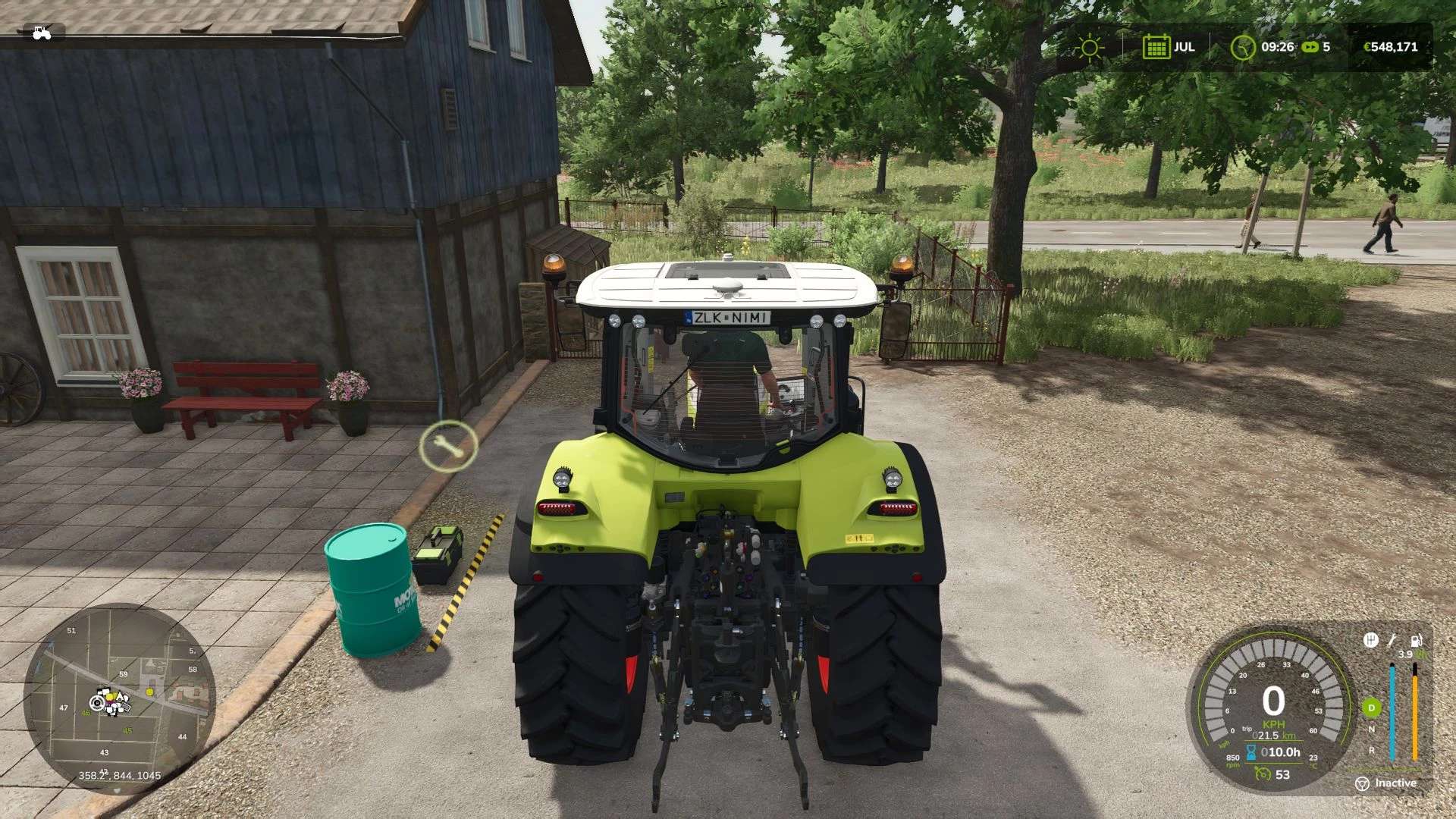
HUD information unified into a single interface, switchable via key input (operating hours, total km, daily km, consumption, etc.)
DescVersion increased
Changelog 1.1.0.4:
Fixed a compatibility issue with conveyor belt type vehicles (e.g. AGIWESTFIELD STX² 10-51)
Changelog 1.1.0.3:
Github issues#8 – Fuel unit bug, fixed
V1.1.0.2
Fixed incorrect rounding of the odometer display
Removed lastDieselFuelUsage variable
HUD performance optimization
DescVersion increased
V1.1.0.1
Github issues#5 fixed
lastDieselFuelUsage – fixed
RPM now increase gradually
DescVersion increased
V1.1.0.0
New variable: lastDieselFuelUsage, which shows the fuel consumption of diesel vehicles, not AdBlue consumption
Creation of global settings
Continuous display of the odometer counter on the HUD
GitHub issues#2 fixed
GitHub issues#1 fixed
DescVersion increased
Changelog 1.0.0.1:
MP issue, fixed
Compatibility issue with Real Vehicle Breakdowns mod – fixed
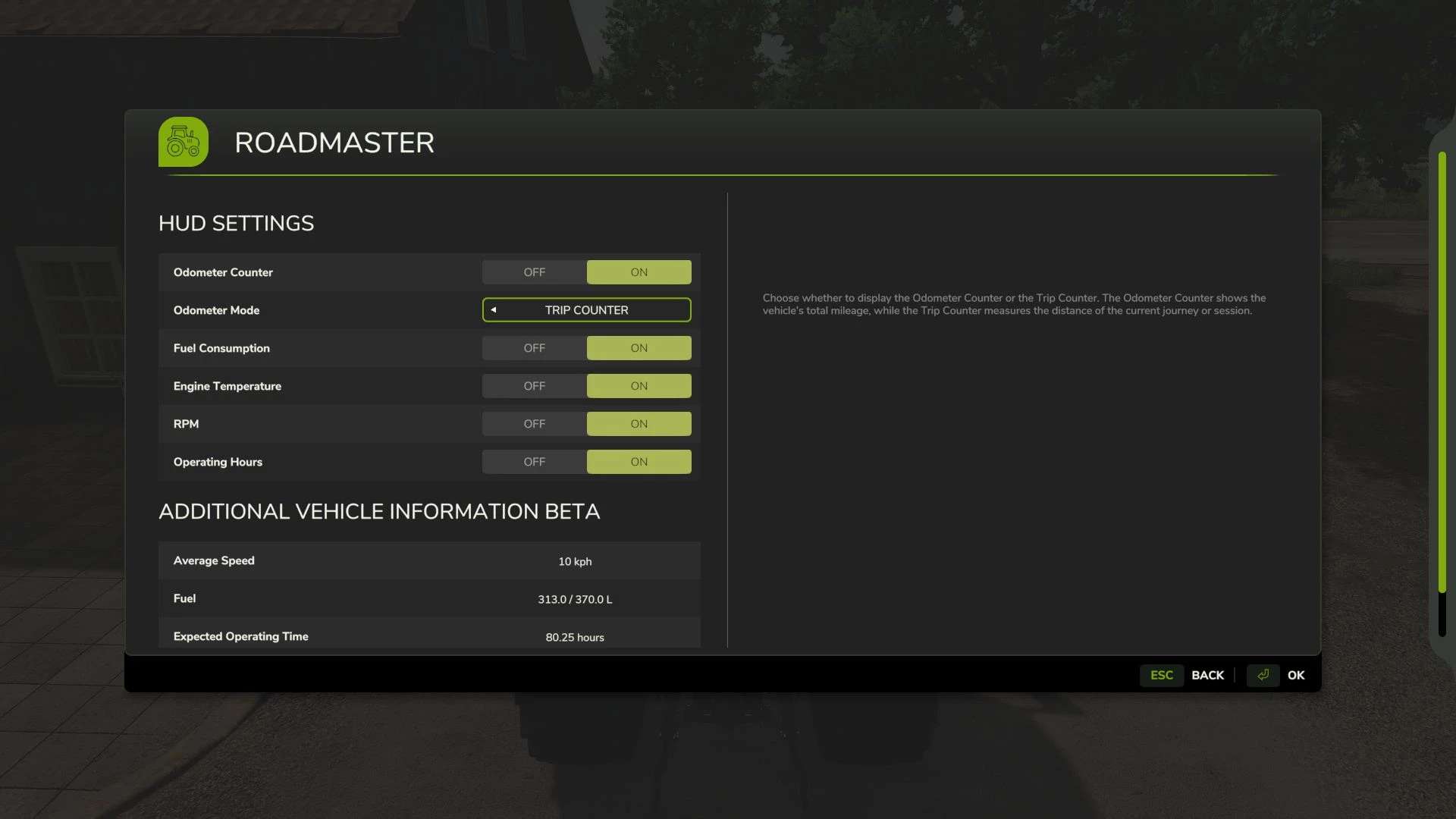
Information such as the odometer, fuel consumption, engine temperature, RPM, average speed, and range all enhance the player’s experience while providing opportunities for more efficient vehicle management and operation.
All features and settings are easily accessible in the game, allowing everyone to customize the information display to suit their preferences during gameplay.
Open RoadMaster (RM) – “Left Ctrl + n” key combination (default)
Reset Trip Counter – “Left Ctrl + m” key combination (default)
There is a feature that is currently in Beta status. Unfortunately, I haven’t been able to test it on a server.
Author: MathiasHun