Modification Directory Switcher V1.0

Modification Directory Switcher V1.0
This handy tool simplifies organizing and switching between your mods.
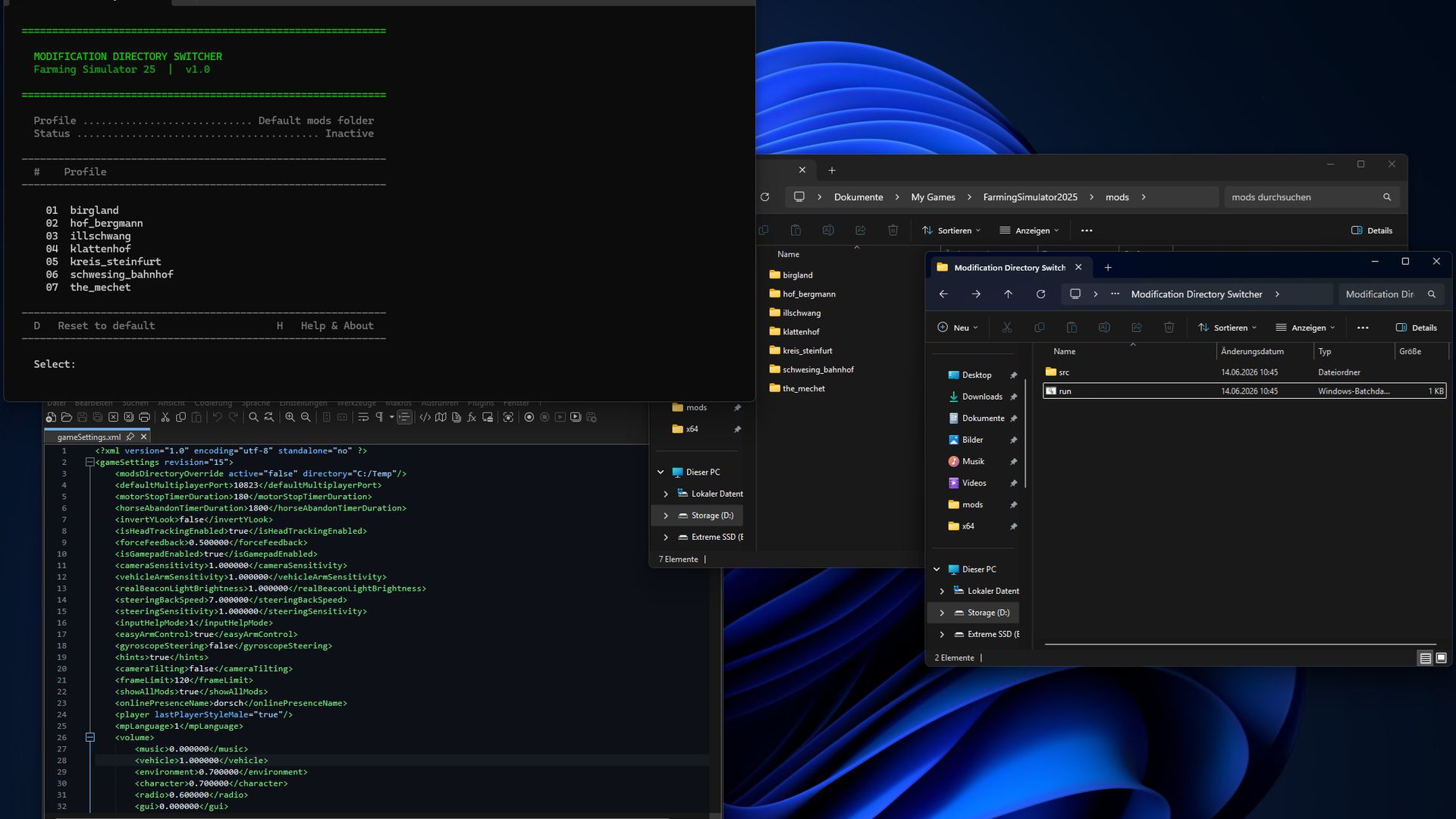
Create subfolders within the directory:
“Documents/My Games/FarmingSimulator2025/mods”
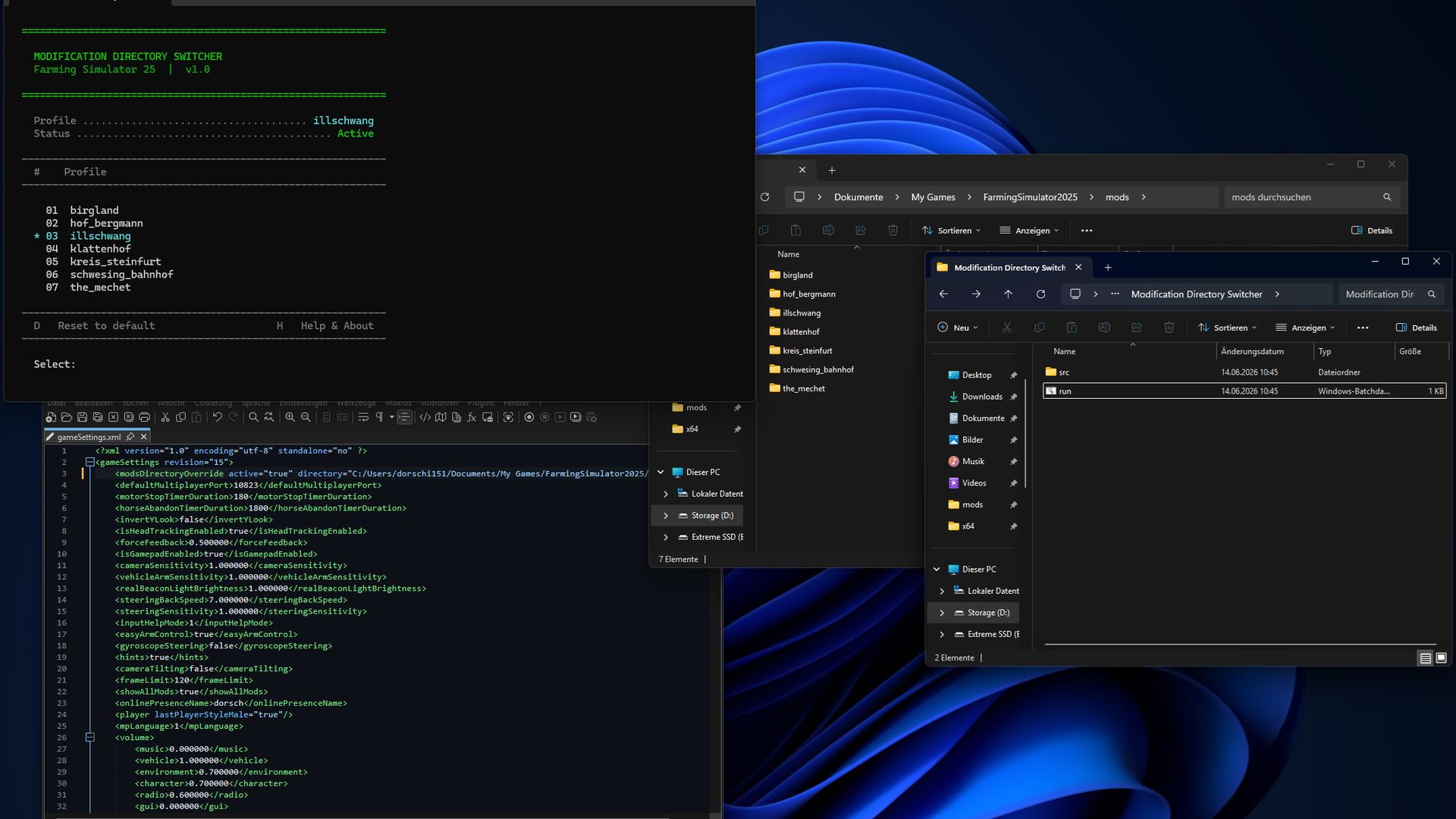
Here, you can save different profiles for maps, savegames, or playstyles.
The tool automatically updates the mod folder path in “gameSettings.xml” to switch profiles seamlessly.
Important:
– Runs in PowerShell, no installation required.
– Works solely with folder paths; no files are modified.
– The mod path is changed securely to activate only the desired mods.
Security:
This script is a simple path management tool and contains no malware.
Quick Start:
1. Unzip the archive.
2. Ensure your mod folder is located at “Documents\My Games\FarmingSimulator2025\mods”.
3. Launch “run.bat”.
4. Follow the menu prompts to switch profiles or reset to default.
Note:
Farming Simulator 2025 must be closed before using the tool, so changes take effect.
Author: dorschi151