GE10 Script Placeable Importer Prefab v2.0
GE10 Script Placeable Importer Prefab v2.0
Unlike the PlaceableToolkit by GIANTS, this script serves purely as a visualization aid during the map-building phase.
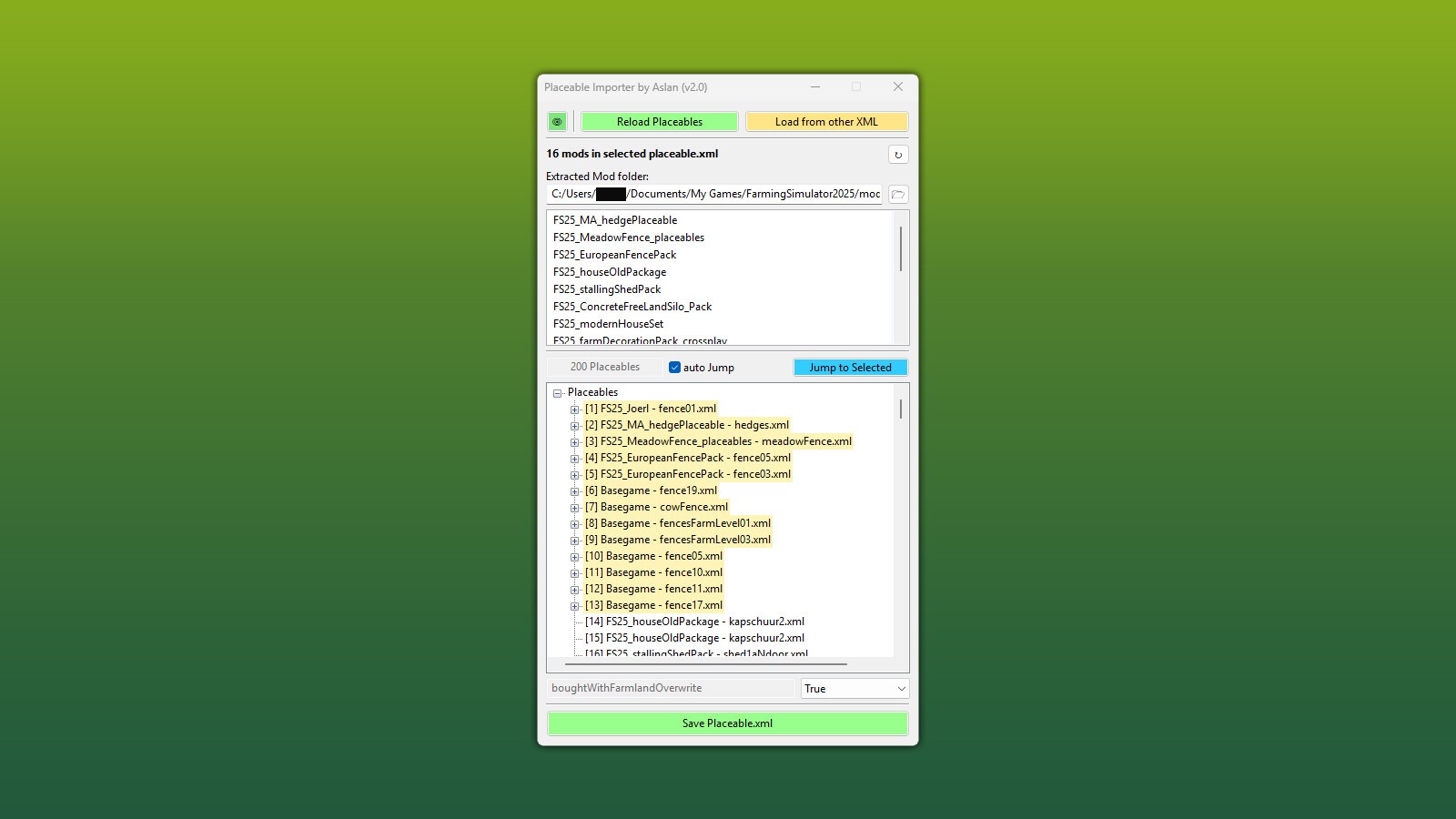
The typical workflow is as follows: First, place your placeables in-game and save the savegame. Then open the map in the GIANTS Editor and load the savegame „placeable.xml” via the script. All contained objects will be inserted into the map as placeholders.
The script loads automatically when opening the map in the GIANTS Editor and imports all placeables from the map’s own „placeable.xml”. Manual loading is therefore not required, unless you explicitly want to load the „placeable.xml” from a specific savegame.
As of version 2.0 it is also possible to reposition or copy/clone objects and write the updated positions back to the map’s „placeable.xml” using the Save button.
INFO:
Cloned placeables inherit all settings from the original placeable
Repositioning or cloning stables with fences is error-prone – please place them as desired directly in-game
Special placeables such as selling stations etc. must be added to the „placeable.xml” manually
Installation:
1.) Locate the installation path of the GIANTS Editor. Default: “C:/Users/[USER]/AppData/Local/GIANTS Editor 64bit 10.0.XX/scripts/”
2.) Copy the script „PlaceableImporter.lua” from the prefab into the scripts folder of the GIANTS Editor.
3.) The script will then be available in the GIANTS Editor via the menu bar under „Scripts”.
Changelog 2.0:
Complete rework of UI and code
All map placeables are now loaded automatically on startup via the GE
All placeables are loaded using the ‘excludeFromSave’ flag (no manual deletion before saving required)
Removed in-game script option as it was redundant
Added option to select the folder containing extracted mods – allowing a separate folder per project
Added placeable list
Added jump functions
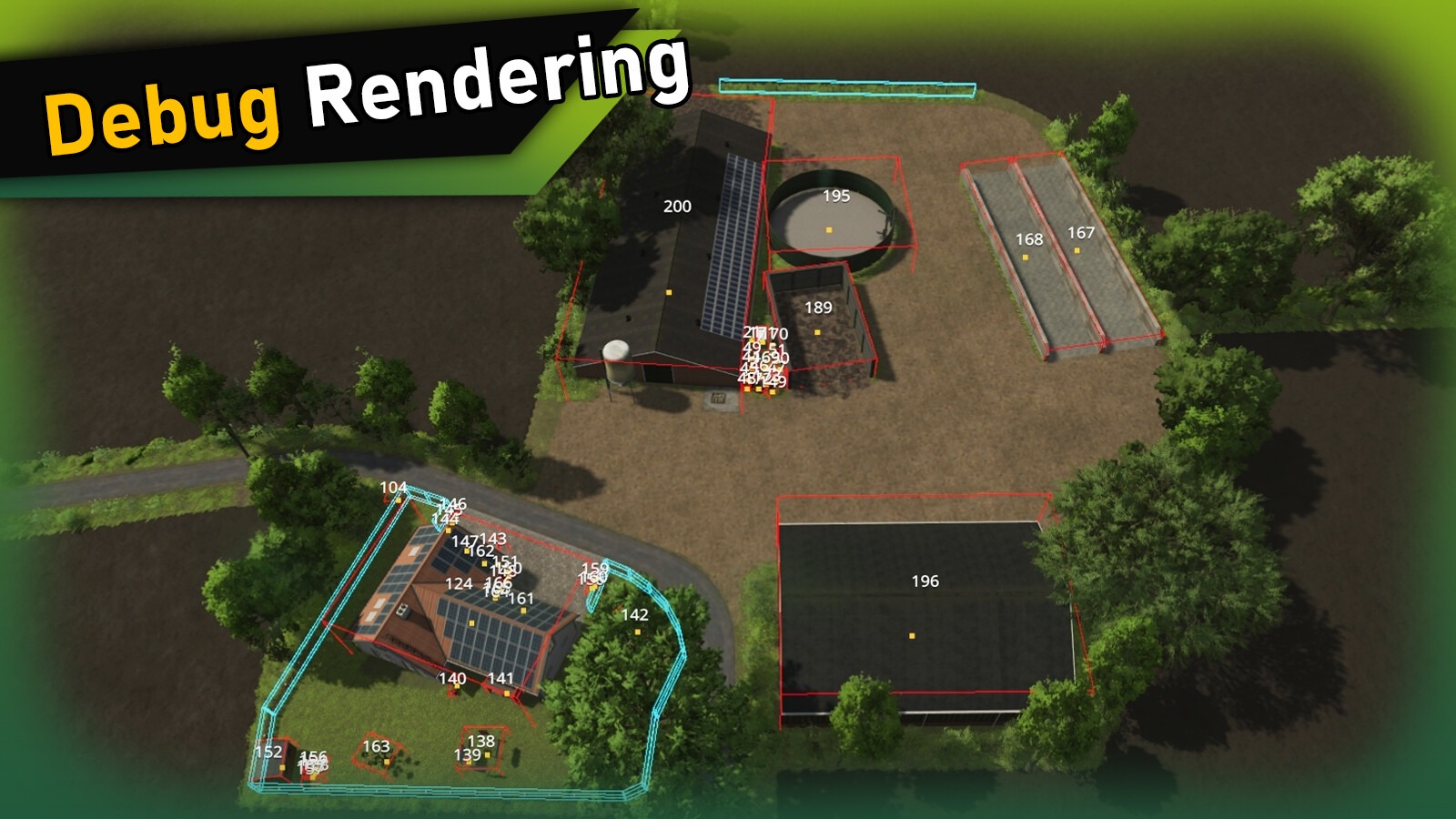
Added DebugDraw to visually identify which placeable is placed where
All placeables can be moved within the GE; the Save button writes the new positions back
Copying/cloning existing placeables is now possible – the cloned placeable inherits all settings from the original Loading a different „placeable.xml” is now possible (e.g. directly from a savegame); it is converted on the fly and written to the map’s „placeable.xml” via the Save button
Changelog 1.1:
Fixed several path errors for alternative installation paths
„placeable.xml” is now loaded automatically based on „modDesc.xml”
Custom path for a „placeable.xml” now possible
New options added – see the Info button for details
Author: Aslan