Adjust Storage Capacity V1.0
Adjust Storage Capacity V1.0
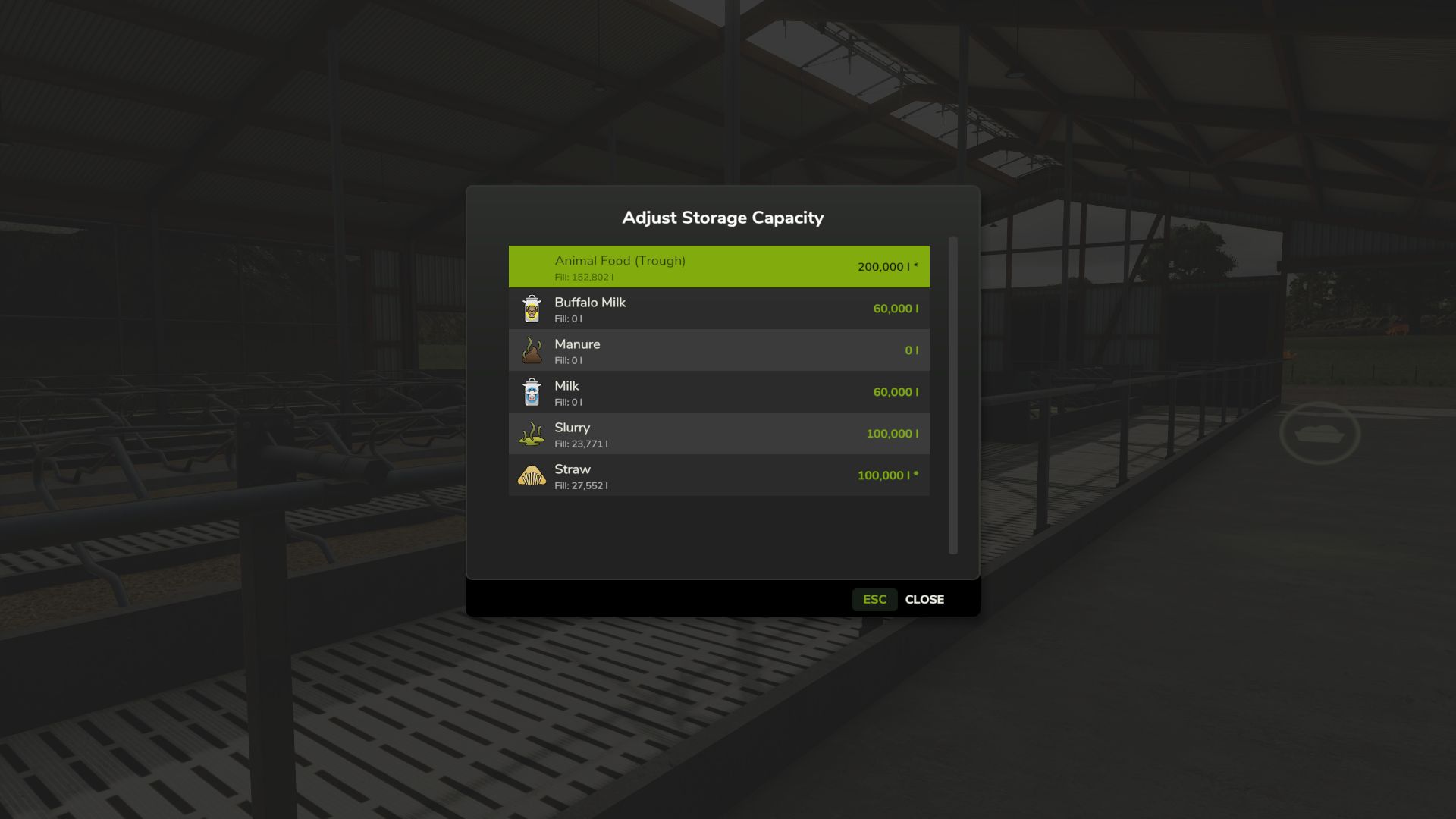
Need more room in your silos or trailers? Or want to limit storage for a challenge? Adjust Storage Capacity lets you customize storage capacities without editing XML files.
Optional auto-scale settings keep expanded vehicles drivable by adjusting mass and load/discharge speed proportionally.
In-Game GUI: Press K near any supported storage or vehicle, press K while driving to adjust your vehicle and implements, or use K in Production, Animals, Workshop, or Construction menus.
Only bulk storage is supported. No pallets or terrain heap-based storage.
Features
– Adjust capacity for silos, tanks, production storage
– Adjust animal husbandry storage (food troughs, input/output)
– Adjust vehicle capacities (trailers, harvesters, sprayers, tankers)
– Press K near storage/vehicle, while driving, or in Production, Animals, Workshop, Construction menus
– Per-filltype/fill-unit capacity editing
– “Reset All” button to restore original capacities
– Capacity protection: clamps to fill level to prevent data loss
– Auto-scale vehicle mass and load/discharge speed (optional)
– Optional setting to hide trigger shortcuts (menu access always available)
– Configurable key binding for opening dialogs
– Multiplayer support with permissions
Limitations
– Bunker silos not supported (terrain heap-based storage)
– Pallets and bales not supported (object storage)
– Vehicle pallets and big bags not supported (products, not containers)
– Leveler fill units excluded (internal buffers)
V1.0.0.0
– Release version
– Fixed 3D fill visuals (vehicle heaps, food troughs) not showing correctly after loading a savegame
– Fixed straw bedding and water visuals not updating when capacity is changed
– Fixed 3D fill plane rendering issues in silos and food troughs
Author: rittermod