Construction Helper V1.0
Construction Helper V1.0
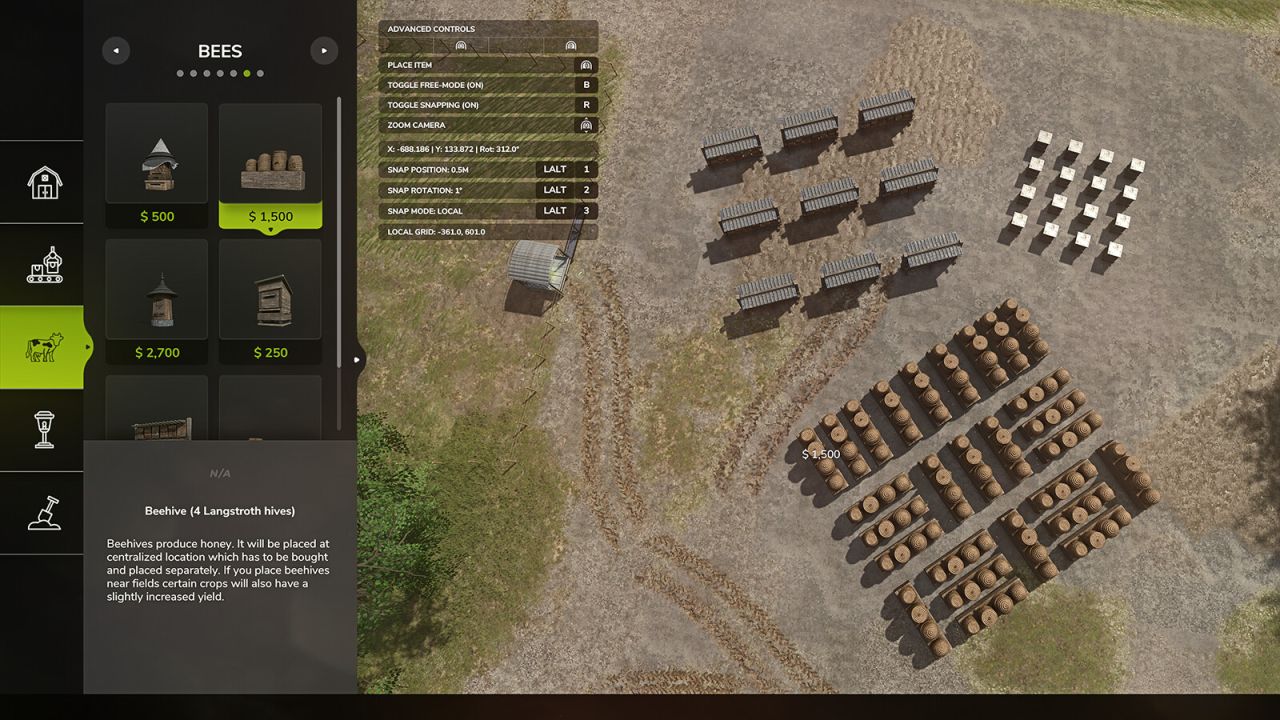
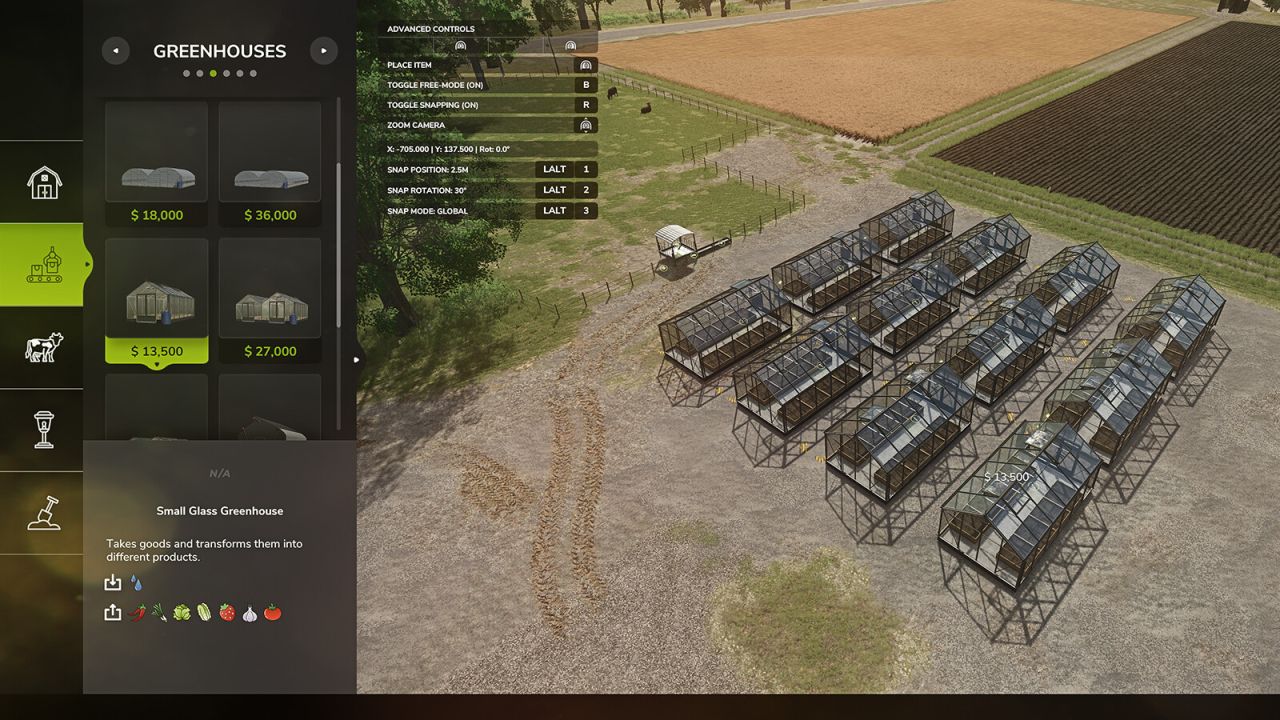
Construction Helper enhances the building placement experience by providing precise coordinate display and advanced snapping controls.
FEATURES:
Real-time coordinate display (X, Z position and rotation) in the construction HUD with 3-decimal precision
Customizable position snapping increments: 0.1m, 0.25m, 0.5m, 1.0m, 2.5m, 5.0m
Customizable rotation snapping increments: 1°, 5°, 10°, 15°, 30°, 45°
Local/Relative snap mode – entire grid rotates with building angle for perfect parallel alignment at any rotation
DEFAULT KEYBINDS:
LALT + 1: Cycle Position Snap – Change position grid size
LALT + 2: Cycle Rotation Snap – Change rotation angle step
LALT + 3: Toggle Local Snap Mode – Switch between world grid and building-relative snapping
All keybinds can be customized in Settings > Controls.
GLOBAL vs LOCAL SNAP MODE:
Global Mode: Building snaps to world X/Z coordinate grid (best for 90° aligned placements)
Local Mode: Entire snapping grid rotates with the building – objects placed at the same local grid coordinates will form perfectly parallel lines in world space, regardless of rotation angle. Ideal for creating aligned rows of buildings at any angle (30°, 45°, 60°, etc.)
HOW LOCAL MODE WORKS:
When placing multiple objects at the same rotation (e.g., 30°), they will align in straight lines parallel to each other. The grid rotates rigidly with your building, so objects placed at local grid positions (3,0), (6,0), (9,0) will form a straight line at 30° in world space.
Author: gingerskull